WordPress 7.1 brings several useful improvements to the WordPress editing experience. The update focuses on making it easier to design websites, create responsive layouts, style interactive elements, and manage media.
In this article, we will look at some of the most useful new features in WordPress 7.1.
1. New and Improved Image Editor
WordPress 7.1 introduces a better image editing experience.
You can now edit images in a dedicated editor with more useful controls. The new image editor allows you to crop and adjust your image more easily.
You can use options such as:
- Cropping
- Rotating
- Flipping
- Zooming
- Changing the aspect ratio
This makes it easier to make basic image changes directly inside WordPress without opening another image editing tool.
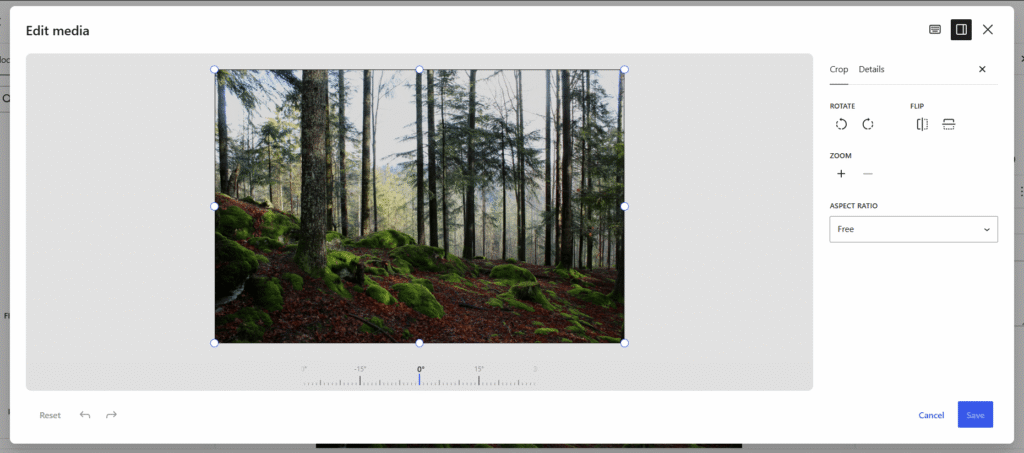
The new image editor gives users more control when editing images directly in WordPress.
2. New Playlist Block
WordPress 7.1 introduces a new Playlist block.
The Playlist block allows you to add and organize multiple audio files in one place.
This can be useful for:
- Musicians
- Podcasters
- Audio creators
- Educational websites
Instead of adding each audio file separately, you can create a complete playlist using the WordPress block editor.
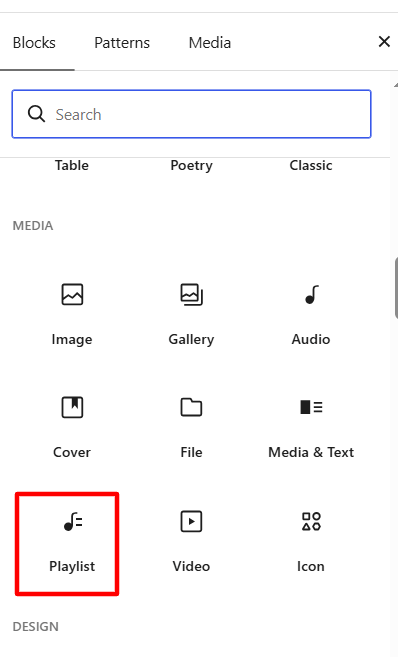
The new Playlist block makes it easier to display multiple audio files in WordPress.
3. New Tabs Block
Another useful addition in WordPress 7.1 is the new Tabs block.
Tabs help you organize content into separate sections. Visitors can click between tabs to view different information.
For example, you can use tabs for:
- Product features
- Pricing information
- FAQs
- Services
- Documentation
This helps keep your page clean and organized.
Previously, many users needed a plugin to create tabs. Now, WordPress provides a Tabs block directly in the editor.
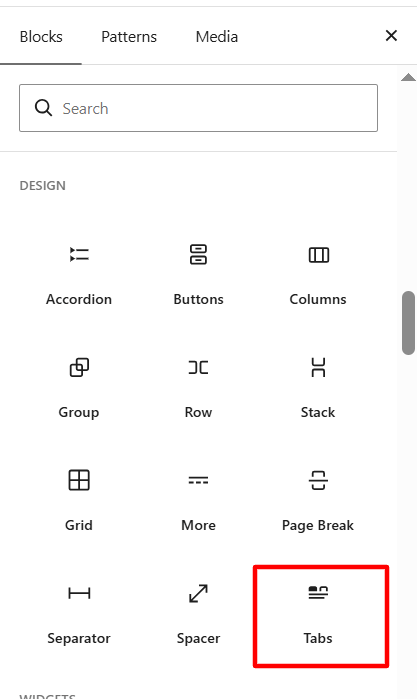
The new Tabs block helps organize related content in a cleaner and more user-friendly way.
4. More Typography Controls
WordPress 7.1 gives users more control over typography.
You can manage different text settings directly from the Styles area.
The available options can include:
- Font selection
- Font size
- Text appearance
- Line height
- Letter spacing
- Text decoration
- Letter case
These options make it easier to customize the appearance of your website without using custom CSS.
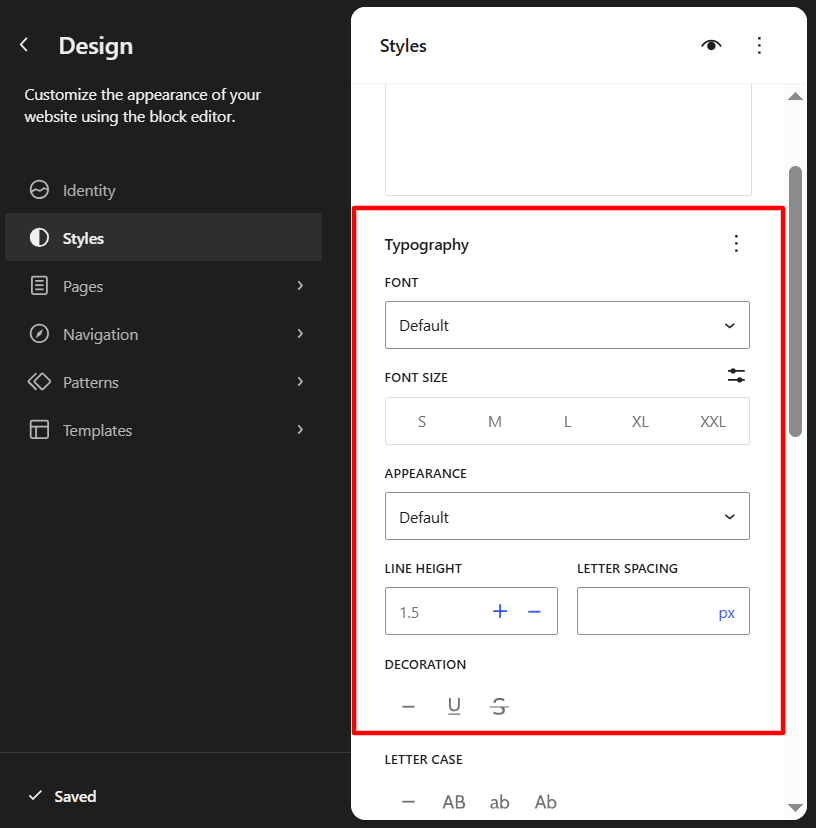
WordPress 7.1 provides more typography controls inside the Styles settings.
5. Better Responsive Styling
Responsive design is an important part of modern website development.
WordPress 7.1 makes it easier to control how your website looks on different screen sizes.
You can work with different viewports, including:
- Desktop
- Tablet
- Mobile
You can also choose Responsive styles, allowing certain style changes to apply only to the selected viewport.
For example, you may want a large heading on desktop but a smaller heading on mobile.
This gives users more control over responsive website design directly inside WordPress.
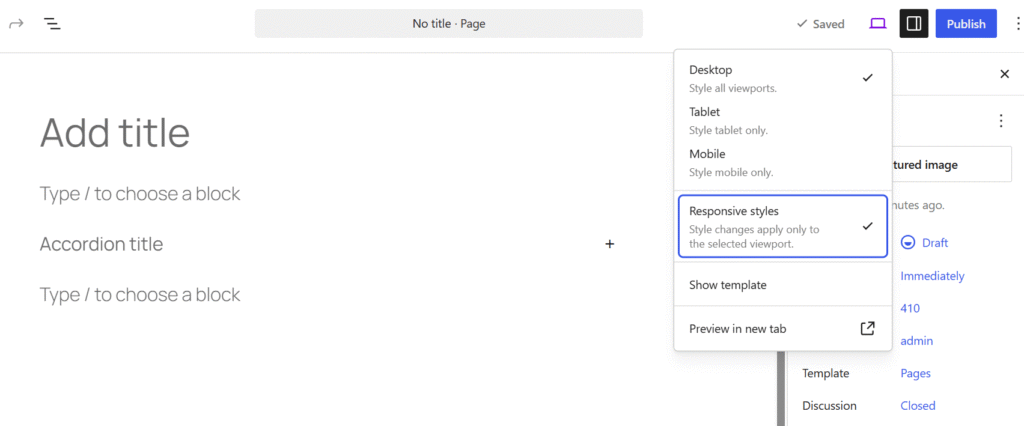
Responsive styles allow users to customize designs for desktop, tablet, and mobile devices.
6. Style Hover and Other Interactive States
WordPress 7.1 also improves the way you style interactive elements.
You can now work with different states for supported elements, such as:
- Default
- Hover
- Focus
- Focus-visible
- Active
For example, you can change how a button looks when a visitor moves their mouse over it.
You can also style how elements appear when they are focused or active.
This gives designers more control over interactive elements without relying entirely on custom CSS.
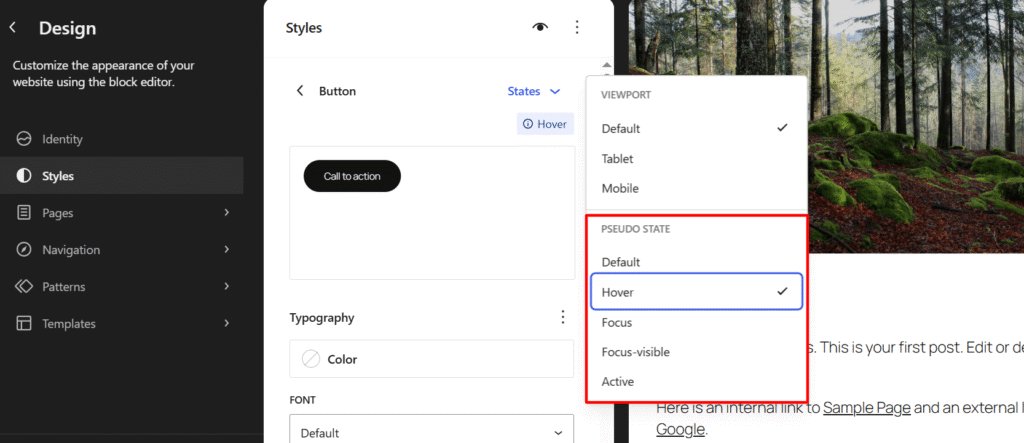
WordPress 7.1 makes it easier to style interactive states such as Hover, Focus, and Active.
Final Thoughts
WordPress 7.1 brings several useful improvements to the editing and design experience.
Some of the most interesting features include the improved image editor, new Playlist and Tabs blocks, better typography controls, responsive styling, and interactive state styling.
These improvements give users more control when building and designing WordPress websites.
For website owners, designers, and content creators, WordPress 7.1 makes it easier to create modern and responsive websites directly inside the WordPress editor.
If you are planning to update your website to WordPress 7.1, make sure to create a backup and test your plugins and theme before updating your live website.